📋 Examples#
This section describes examples of workflows or integration using our community nodes for n8n. The documentation for each of these nodes is available on their respective pages: Olvid and Olvid Keycloak.
This section does not provide an implementation for technical reasons, but presents concepts that are easily achievable. Its purpose is to give you an idea of what is possible and to inspire creativity.
Olvid#
Chat Bot#
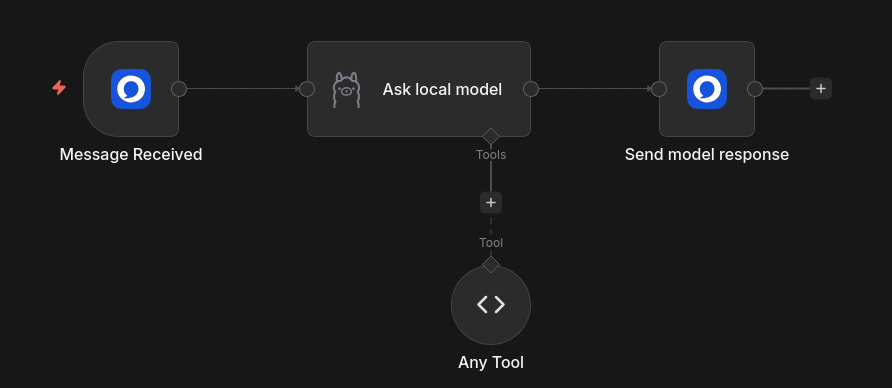
Here is a basic workflow to show what an integration with Olvid might look like.
In this case, we simply transfer the content of the user message to an Ollama model before returning the response. But we can imagine replacing the central module with any other service or more complex flow that will process a user data, before returning the result.
Validation#
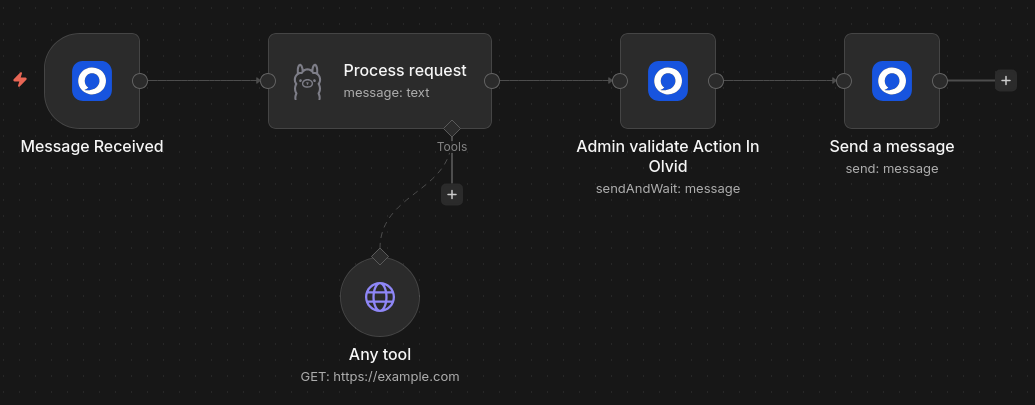
The node Olvid includes an action of type Send and Wait for response to easily add a human confirmation in your workflows.
The following workflow is a very basic implementation of processing a request by a local AI model (using ollama). Once the request has been processed, the result is sent to Olvid and the flow waits for validation before continuing.
The validation message can be sent in the original conversation or in another conversation. This means that the user can validate the action themselves, or one or more other users can validate the action before the flow continues.
Validating or invalidating an operation can be done in several ways, but often boils down to simply adding a reaction 👍 or 👎 to the validation message.
Backup of files#
The power of n8n lies in its integration with many services. It is very simple to add nodes towards other services that you use.
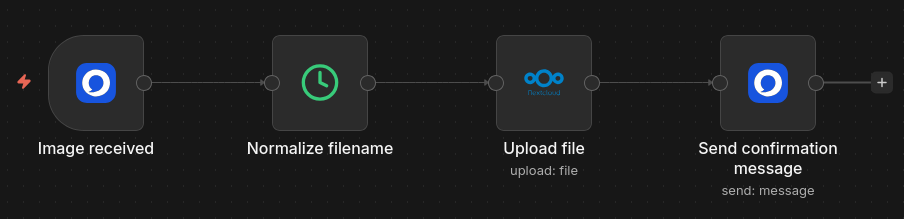
The following workflow saves the photos sent to your bot in a Nextcloud folder, while adhering to a naming convention.
Keycloak#
User Creation#
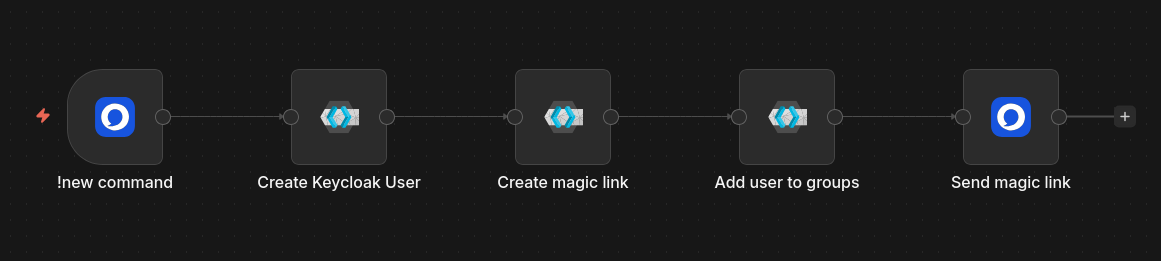
Here is an example of a flow to facilitate the integration of new users into your directory.
In this example, a command sent to a bot in Olvid is used, but the workflow could be triggered by any other n8n trigger.
We create a user in Keycloak from the parameters of the command and we can generate a magic link right away, to return it in response. To join your directory, the new user just needs to open this link in Olvid or scan the QR code displayed in a browser.
One can also add this user to one or more groups upon creation so that they automatically join them upon arrival in the directory.